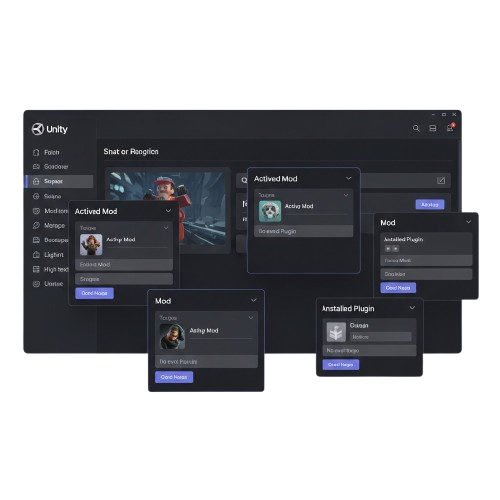

BepInEx - Unity & .NET Modding Framework
BepInEx is a versatile, open-source plugin framework for Unity and .NET games. It supports Mono, IL2CPP, and XNA/FNA/MonoGame, allowing seamless modding, customization, and extensions for developers and gamers. Preconfigured packs simplify installation and enable rapid creation of mods for both hobbyist projects and professional game enhancements.
About BepInEx
BepInEx is an open-source modding framework designed for Unity and .NET games. It supports Mono, IL2CPP, XNA, FNA, and MonoGame, providing a flexible foundation for creating, managing, and deploying mods efficiently.
Built with modularity and performance in mind, BepInEx allows developers and gamers to extend game functionality, customize behaviors, and integrate plugins seamlessly. Its architecture supports preconfigured packs, runtime patching, and advanced logging, making mod creation intuitive for both hobbyists and professional developers.
With an active community, GitHub-hosted plugins, and continuous updates, BepInEx ensures compatibility with the latest Unity releases and game engines, bridging the gap between user creativity and stable, real-world gameplay enhancement.
BepInEx Features
Plugin Management
BepInEx allows users to load, manage, and organize plugins effortlessly. Easily add, remove, or update mods without modifying original game files or breaking compatibility.
Runtime Patching
Apply live patches to games during runtime, enabling real-time behavior changes, bug fixes, and new features without restarting the game or recompiling code.
Cross-Platform Support
BepInEx runs on Windows, Linux, and macOS, supporting both Mono and IL2CPP Unity builds. Ensures stable modding across multiple environments and platforms.
IL2CPP & Mono Support
Supports IL2CPP and Mono Unity builds, providing compatibility with most modern Unity games. Developers can patch, debug, and extend games reliably.
Configuration Management
Manage plugin settings via BepInEx config files. Customize game behavior, enable or disable features, and adjust mod parameters without editing game code manually.
Advanced Logging
BepInEx offers detailed runtime logs for plugin execution, errors, and events. Helps developers debug issues, track performance, and ensure stable gameplay modifications.
Mod Loader Framework
Provides a modular framework to load third-party mods safely. Supports dependency management, initialization order, and seamless integration of multiple plugins.
Community & Plugin Support
BepInEx benefits from an active community with numerous prebuilt plugins and extensions. Users can share, install, and maintain mods efficiently with community support.
How BepInEx Works
Plugin Loading
BepInEx automatically detects and loads compatible plugins at game startup. Users can easily manage mods without modifying core game files or risking instability.
Runtime Patching
Apply real-time patches and modify game behavior during runtime. Developers can add new features, fix bugs, or tweak mechanics without restarting or recompiling.
Configuration Management
BepInEx lets users customize plugin settings via configuration files. Adjust mod parameters, enable or disable features, and maintain full control of the game environment.
Logging & Debugging
Track plugin activity and errors with detailed runtime logs. Developers can debug mods, monitor performance, and ensure smooth and stable gameplay modifications.
Download and Install BepInEx
Install BepInEx by downloading the correct build for your game type (Mono or IL2CPP). Ensure your Unity game version and platform match the selected BepInEx release before installation.
Supported Unity (Mono) games
IL2CPP Unity builds supported (Bleeding Edge builds recommended)
Windows, Linux, and macOS compatible
Administrator permissions may be required for some games
Game must be DRM-free or properly configured for modding
Matching BepInEx version with game architecture (x86 / x64)
Install from Source
git clone https://github.com/BepInEx/BepInEx.git
cd BepInEx
Build the project using Visual Studio or .NET CLI according to documentation guidelines.
Community & Resources
Detectron2 provides a wide range of pre-trained models for object detection, these models are optimized for high accuracy on standard benchmarks like COCO, LVIS, and Cityscapes, and can be fine-tuned on custom datasets to meet specialized computer vision needs.
GitHub
Access the BepInEx repository, report issues, or contribute to the development of the framework.
Visit GitHubDocumentation

Learn how to install, configure, and create plugins using the official BepInEx documentation.
Read DocsCommunity Discord

Join the BepInEx community on Discord to discuss mods, plugins, and development tips.
Join DiscordGuide for BepInEx

Complete Guide to Debugging, Error Handling, and Advanced Logging in BepInEx for Unity Modding
Read More »What Users Say About BepInEx
Frequently Asked Questions
Installation
How do I install BepInEx?
Download the correct Mono or IL2CPP build from GitHub, extract files into your game’s root folder, and launch the game once to generate required directories.
How do I know if my game is Mono or IL2CPP?
Check the game’s folder for “Managed” DLL files (Mono) or a “GameAssembly.dll” file (IL2CPP) to determine the correct BepInEx version.
Does BepInEx support Windows 11?
Yes, BepInEx works smoothly on Windows 10 and Windows 11 systems when installed properly in supported Unity game directories.
Can I install BepInEx on macOS or Linux?
Yes, BepInEx supports macOS and Linux Unity games. Make sure you download the platform-specific release build.
Do I need administrator permissions?
Some games installed in protected directories may require administrator access to extract and run BepInEx properly.
How do I update BepInEx safely?
Delete old BepInEx core files, replace them with the latest release version, and keep your plugins folder backed up before updating.
Compatibility
What is runtime patching in BepInEx?
Runtime patching allows plugins to modify game behavior dynamically while the game is running, without changing original files.
Does BepInEx support IL2CPP games?
Yes, bleeding-edge builds provide IL2CPP support, enabling modding for many modern Unity titles.
Is BepInEx safe for games?
BepInEx does not modify core files permanently. However, always use trusted plugins to avoid instability.
Can BepInEx affect game performance?
Lightweight plugins typically have minimal impact, but poorly optimized mods may affect performance.
Does BepInEx work with Steam games?
Yes, BepInEx works with most Steam Unity games if modding is allowed and files are placed correctly.
Can BepInEx run on older Unity games?
Yes, it supports many older Unity Mono builds, depending on compatibility with the framework version.
Configuration
How do I install plugins?
Place compatible plugin DLL files inside the “BepInEx/plugins” folder. Restart the game and BepInEx will load them automatically.
Where are configuration files stored?
Configuration files are automatically created in the “BepInEx/config” folder after running the game once.
Can I disable a plugin temporarily?
Yes, simply remove the plugin DLL from the folder or rename the file extension to prevent it from loading.
Does BepInEx manage plugin dependencies?
Yes, it supports dependency attributes, ensuring required plugins load in the correct order without conflicts.
How do I edit plugin settings?
Open the generated configuration file in the config folder and adjust parameters using a text editor.
Can multiple plugins run together?
Yes, BepInEx is designed to handle multiple plugins simultaneously while maintaining stability and performance.
Maintenance
BepInEx is not creating folders. Why?
Ensure files are extracted correctly into the root folder and the correct build version is used.
My plugins are not loading. What should I do?
Check the BepInEx log output file for errors and confirm plugin compatibility with your game version.
Where can I find error logs?
Logs are generated inside the BepInEx folder, typically named “LogOutput.log” for debugging purposes.
How do I completely uninstall BepInEx?
Delete all BepInEx files and folders from the game directory to restore the original state.
Can I backup my BepInEx setup?
Yes, simply copy the BepInEx folder including plugins and config files to restore later if needed.
Where can I get community support?
Visit the official GitHub repository and modding communities for documentation, plugin releases, and troubleshooting help.
BepInEx – Unity & .NET Game Modding
BepInEx – Powerful Unity & .NET game modding framework for plugins, patches, and customization across popular games with ease and stability apps.
Price: Free
Price Currency: $
Operating System: Windows, macOs, Linux
Application Category: Software
4.7